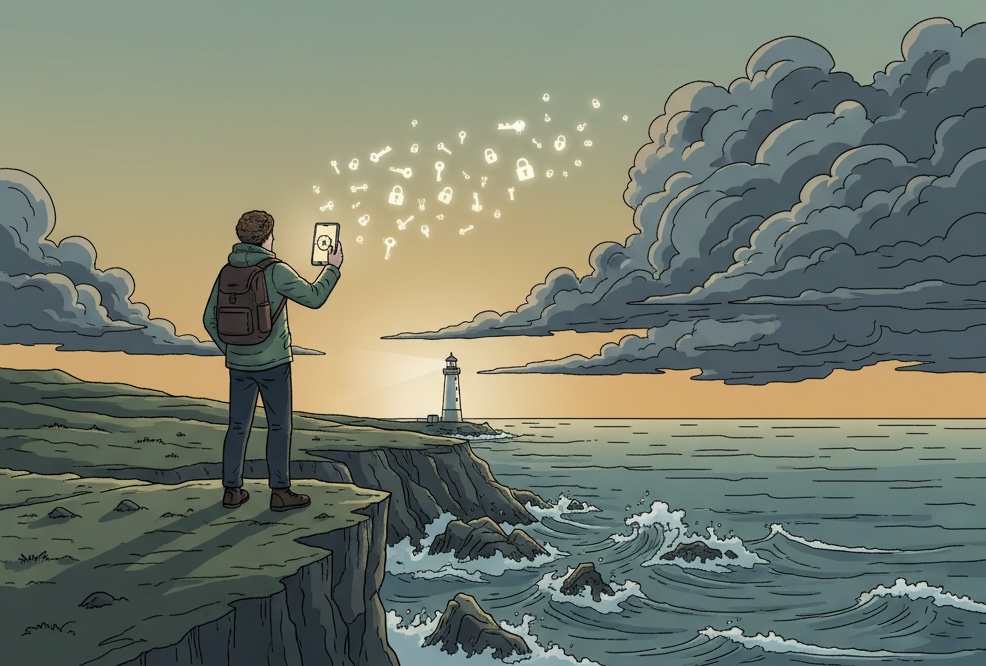
I remember about twelve passwords. Maybe fourteen if you give me an hour. The rest used to live somewhere between "email it to yourself", a sticky note on the monitor, and passwords_FINAL_v3.xlsx in Dropbox. Then a friend showed me what his account looked like after the 2012 LinkedIn breach - and I have been on a password manager ever since.
This is a short rundown of what I tried, why 1Password stuck, and why it travels with me on every trip.
Why use a password manager at all
A password manager is not a luxury for paranoid geeks. It is basic hygiene - roughly as obvious as locking your front door instead of leaving the key under the mat.
- One strong master password instead of twenty weak ones. You remember a long passphrase, the app generates random 20-character passwords for every site.
- One site''s breach does not flatten the rest of your life. When Adobe or LinkedIn gets popped, attackers try the same password on your bank, email, and Netflix. With unique passwords this "credential stuffing" game does not work.
- Cross-device sync. Your passwords live in your phone, laptop, tablet, and shared browser - always current, always encrypted.
- Autofill saves time. One fingerprint tap on mobile beats copying a password off paper.
- Encrypted notes for documents. Passport scan, driver''s license, insurance number, luggage codes - all in one place, available offline.
- Family sharing without DM-ing your Netflix password on WhatsApp.
- 2FA and passkeys in one app instead of three.
That is the common ground for every decent manager. The differences are in the details - and the details matter.
A short tour of the keychains I went through
Apple Passwords (iCloud Keychain)
Free, built into iOS, macOS, and Safari. Autofill is smooth. Inside the Apple ecosystem it is the path of least resistance - it just works. Apple shipped a standalone Passwords app in September 2024, so it finally feels like a product.
Limits: outside Apple devices (Windows, Android, Linux, anything but Safari) it is bleak. No Travel Mode. No breach alerts. Family sharing is narrow. For someone living entirely in iPhone + Mac, fine starting point. For a traveler who occasionally sits at someone else''s computer, not enough.
Google Password Manager
Same story for Chrome and Android. Free, autofill works. Outside Google it is weak. Better than nothing, far behind paid competitors.
LastPass
For years it was the default. Then came the 2022 breach, where attackers got customer encrypted vaults including URLs and metadata. Encryption held; trust did not. Today I would not recommend starting with LastPass - there are safer options at the same price.
Bitwarden
Open source, free tier, self-hosting available. For people who want free and ecosystem-independent, it is the obvious choice. Active community, regular audits. Free tier is generous, paid plan ~$10/year.
Limits: UX is a notch below 1Password (less polished, still functional). No Travel Mode. Family sharing a bit rigid. If you do not want to pay or want to control the code, great pick.
Dashlane, NordPass, Proton Pass
Decent, but I do not have years of real use with any of them to recommend honestly. Proton Pass is growing fast and worth watching if you already live in Proton Mail.
Why 1Password won me over
This is not a feature list - it is the experience after several years of daily use on the road.
- Travel Mode at border crossings. Before a trip I flip one switch in my account and any vaults I have not marked as "safe for travel" physically disappear from my devices. Nothing left for a border officer to find on phone or laptop until I turn Travel Mode off after the trip.
- Offline access to documents. My vault holds my passport scan, driver''s license, international insurance, luggage codes. When my backpack got stolen in Tirana, I had a passport copy at the embassy in ten minutes.
- Watchtower. Tracks data breaches (Have I Been Pwned), flags weak passwords, sites without 2FA, expiring cards. Passive - I do not have to think about it.
- Passkeys + TOTP 2FA in one app. Instead of Google Authenticator plus a password manager, I have both in one encrypted, synced vault.
- Family plan. Five accounts for a few dollars a month, shared vaults for family stuff (Netflix, utilities, doctors) and private vaults for everyone.
Practical tips before you click
- A master passphrase of four random words is stronger and easier to remember than "P@ssw0rd!2024". Try diceware.
- Print the Emergency Kit (PDF with your Secret Key + QR code) right after signup and leave it at home. Without the Secret Key you cannot recover the vault if you lose all devices - and 1Password by design cannot recover it for you.
- On day one, run Watchtower. You will see how many duplicates you have and how many leaked. Do not change them all at once - start with banking, email, and main social accounts.
- Do not store the 2FA for your 1Password account inside 1Password itself. Keep a hardware key (YubiKey) or TOTP in a separate app - for the day you get locked out.
:::callout Bonus for travelers: 50% off
If 1Password sounds right, there is currently a travelers'' campaign with 50% off the first year. Use the link in the card above - it is an affiliate link, so I get a small commission and you pay the same price as going direct. I only recommend tools I actually use.
Bottom line
Notes-app passwords are not OK in 2026. Pick any decent manager - Apple Passwords, Bitwarden, Proton Pass, 1Password - and start today. Ideally not the one with the 2022 breach. If you live in Apple and never leave it, Apple Passwords is enough. If you want free and open source, Bitwarden. If you travel, juggle documents, share accounts with family, and want one app that ties it all together - 1Password.
I tried it on a 14-day trial back in 2019 and never turned it off.